Usb Wifi Network Drive For Barudan, Brother, Swf, Ricoma Embroidery
Machines
USD $60.00
Condition : New
Free Shipping

Notify me when the price drops
We will email you if we find a lower price on this product!
USB WiFi Network Drive - Remote USB Drive
New generation of USB drive - USB drive with WiFi connection.
(Updated August 15th 2025)
This item is for BARUDAN, Brother, SWF, RICOMA, embroidery machines with the USB port. And TAJIMA embroidery machines with floppy drive emulator installed! Not for TAJIMA embroidery machine with WINDOWS , LINUX LCD control panel.
For TAJIMA embroidery machine with WINDOWS, LINUX LCD. This is the link: https://www.ebay.com/itm/187057592843
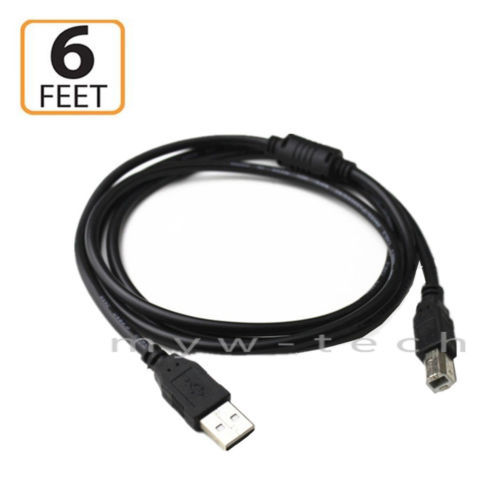
This device is simple to be an USB drive with WiFi connection. It has the USB cable to plug in to the USB port on embroidery machine. And on PC (laptop) , the Windows explorer can connect to it via WiFi and see it as the Network Drive. You can copy DST files to it or save - export DST file to it from the embroidery digitizing applications directly . It works in 2 modes separately. USB device mode and Network Drive mode.
The USB drive mode is for the embroidery machine to read USB DRIVE for import DST embroidery file. And the Network Drive mode for PC to save file or copy files to it. To change the working mode by manual - press button on device. It has the status led light . In the USB DRIVE mode , this light is Red. In the Network Drive mode, this light is green.
In the USB DRIVE mode, press button to change it to the NETWORK DRIVE mode. In the NETWORK DRIVE mode, press button to change it to USB Drive mode.
Benefits:
+ Support "Map network drive" in Windows explorer. Manage files on this device remotely.
+ Save as - Export embroidery stitch file to it directly via WiFi from the embroidery digitizing software.
+ The device connects to the exist WiFi network automatically by adding SSID (WiFi name), Password in Config.txt file on the device.
+ It has 2 working modes: USB mode and Network Drive mode. To change it by manual. The operator at the embroidery machine controls the working mode by press button on device.
+ USB mode: for import stitch files from USB drive to memory of the embroidery machine.
+ Network Drive mode: for copy DST ,DSB, PES files to it or save stitch file from PC or smartphone to it's-memory.
- 1 x USB WiFi.Drive with capacity 4GB.
Shipping:
· We only ship to the address that you registered on EBAY.
· We ship via FEDEX Express. We will provide you with the tracking number after the item shipped.
· We ship worldwide. Please, contact us for shipping cost before purchase.
Return Policy:
This device is robustly tested before shipment. Return shipping paid by buyer.
International Buyers. Please Note:
Import duties, taxes and charges are not included in the item price. These charges are the buyer's responsibility.
Please check with your country's customs office to determine what these additional costs will be prior to bidding/buying.






 .
.
